

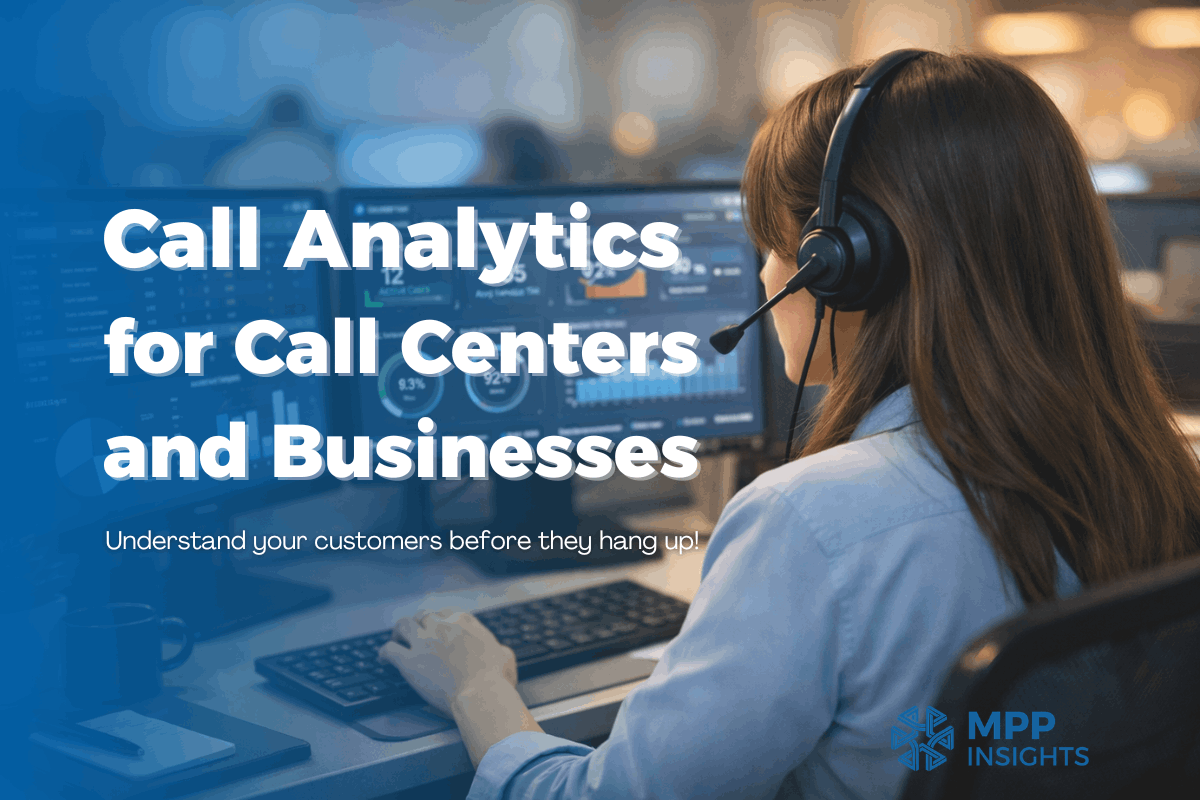
Most businesses, especially B2C ones, get calls from customers for different reasons. The call center answers the calls, and these calls are recorded for supervision. The conversations can give business owners insights that help improve the business. But who has the time to relisten to all those calls? Even if they do, how can they clean the unstructured data for analysis? That is a headache. But why do it manually when LLMs can make this much easier?
It all started with a Hackathon we held in Yerevan, where our R&D office is located. We got audio files from Globbing’s call center. We needed to turn the files into text so participants could work on the data and find customer feelings, problems, and ways to improve service. A data engineering company like ours hates manual work, so we thought, why not develop a tool that does it all from start to finish?
Now this idea has grown into MPP LLM Call Analytics, a tool for call centers. It converts speech to text, analyzes calls to track customer feelings and resolutions, and shows the insights in an easy-to-use dashboard.
Many layers work in the background to make this happen. Here, we’ll explain how MPP LLM Call Center Analytics works. If you have lots of customer complaints on the phone, you might need to understand them before they hang up!
What is Call Analytics for Call Centers?
Business growth comes from customer satisfaction. A lot of useful information is hidden in the calls customers make. Call center analytics is a way to understand these calls, interpret them, and use the insights to grow the business.
It helps businesses see patterns, find problems, and improve service without listening to every call.
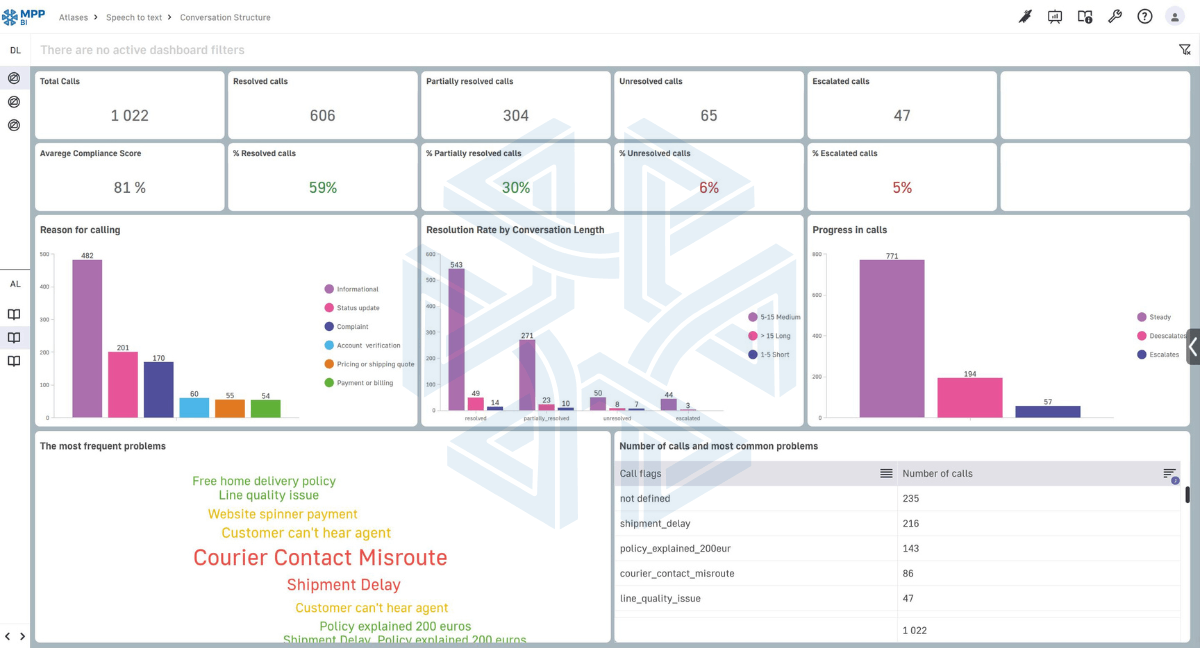
- How the customer feels: angry, neutral, or annoyed
- Why the customer called: information, complaint, account check, pricing, or billing
- If the problem was solved: resolved, partly solved, not solved, or escalated
- How the call went: steady, got worse, or got better
How Technology Makes Call Center Analytics Work
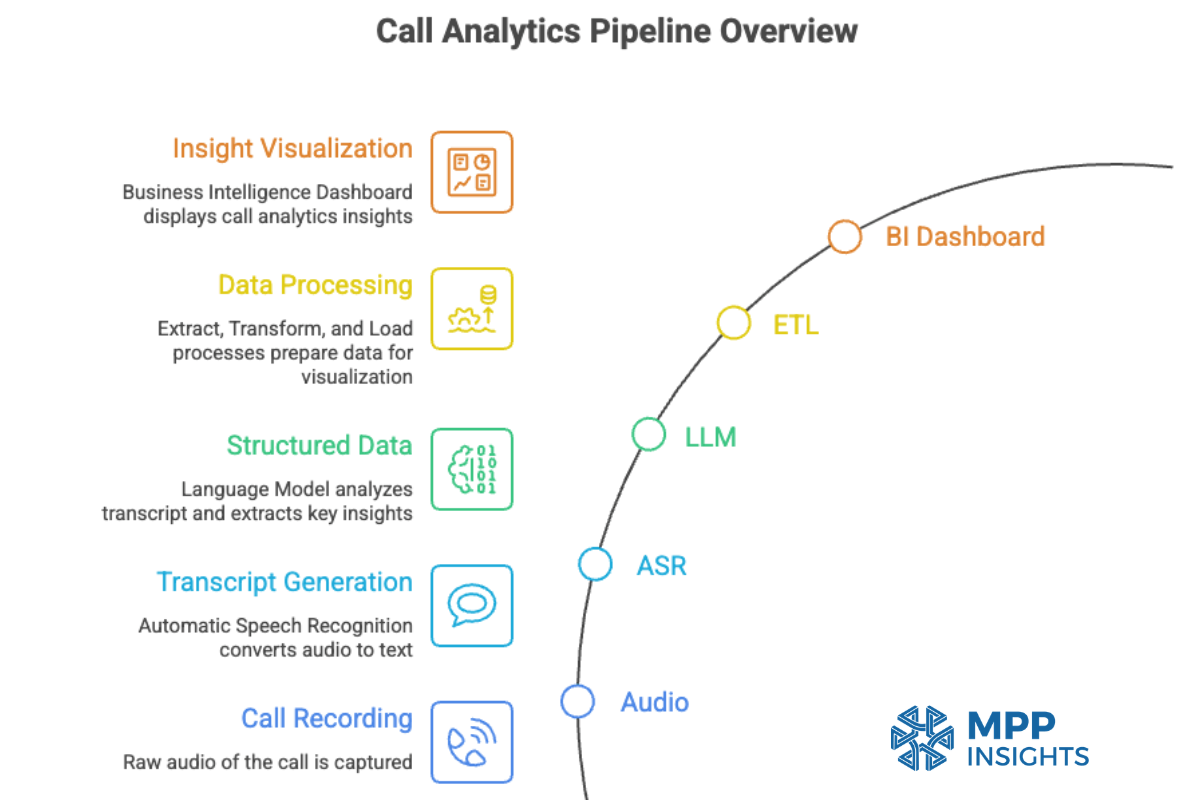
ASR (Automatic Speech Recognition)
The system listens to the audio and breaks it into small pieces to understand the speech. With language models, it can guess the words in a sentence. For example, if someone says “I want to pay my bill,” it knows “bill” fits at the end.
ASR can handle different accents and work with background noise. Now the transcript of the call is ready for the next layer!
LLM / AI Models
LLM reads the transcript and understands what is going on in the call. It does this using models that are trained on a large amount of text and conversations. Because of this training, it understands how people speak, what words mean, and how sentences are used in real situations. So now it can read a conversation and understand it like a human, but much faster.
It can find out how customers feel, why they called, and what the call outcome was.
ETL (Extract, Transform, Load)
After the AI reads the call, the result is still messy text. ETL takes this messy text and turns it into clean, organized data.
- Extract: It takes useful results from the AI, like “angry”, “billing issue”, or “not resolved”.
- Transform: It cleans the data and puts similar sentences into one group. For example, “I am upset” and “this is frustrating” both become “angry”.
- Load: It saves the clean data in a table. Each call is one row, with things like feeling, reason, and result.
BI Dashboard
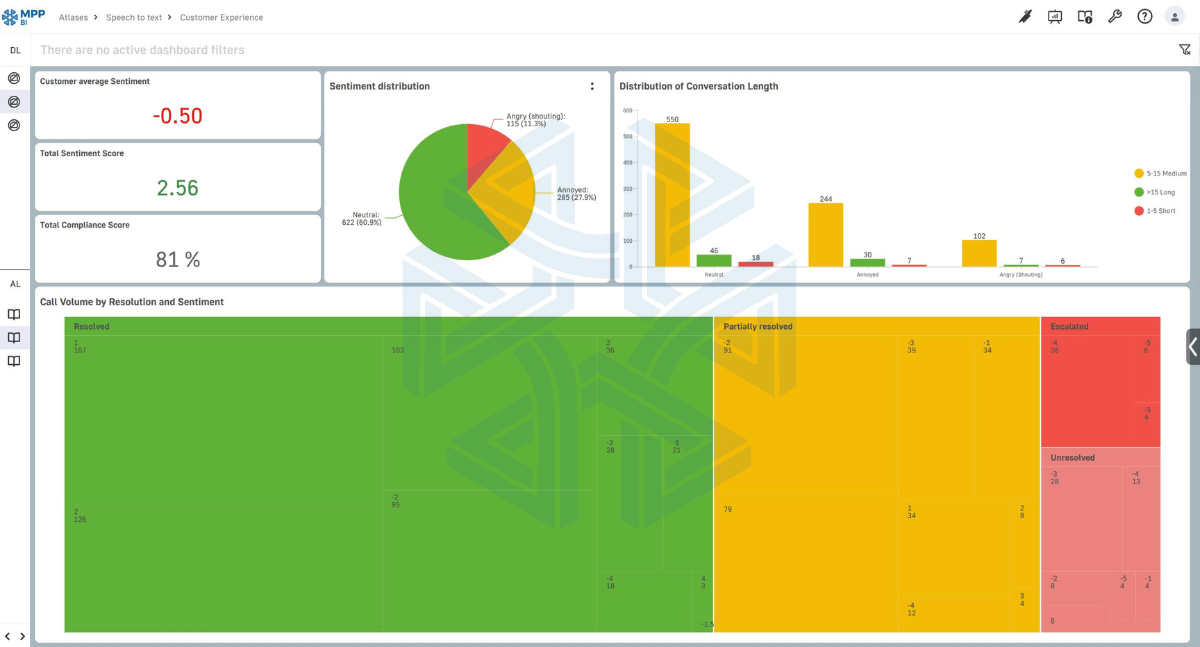
This is the part where all the cleaned data is shown in charts, graphs, and tables. You can see exactly what is happening in your call center.
For example, you can see:
- How many problems were solved, partly solved, or escalated
- How long calls usually last
You can choose what to look at and focus on what matters for your business. You don’t need to read every transcript. The dashboard shows patterns, common problems, and agent performance at a glance.
If you want to learn more about BI, read our article “What is Business Intelligence” to gain more insights.
How Does MPP Call Analytics Stand Out from Other Tools?
Interactive Dashboards
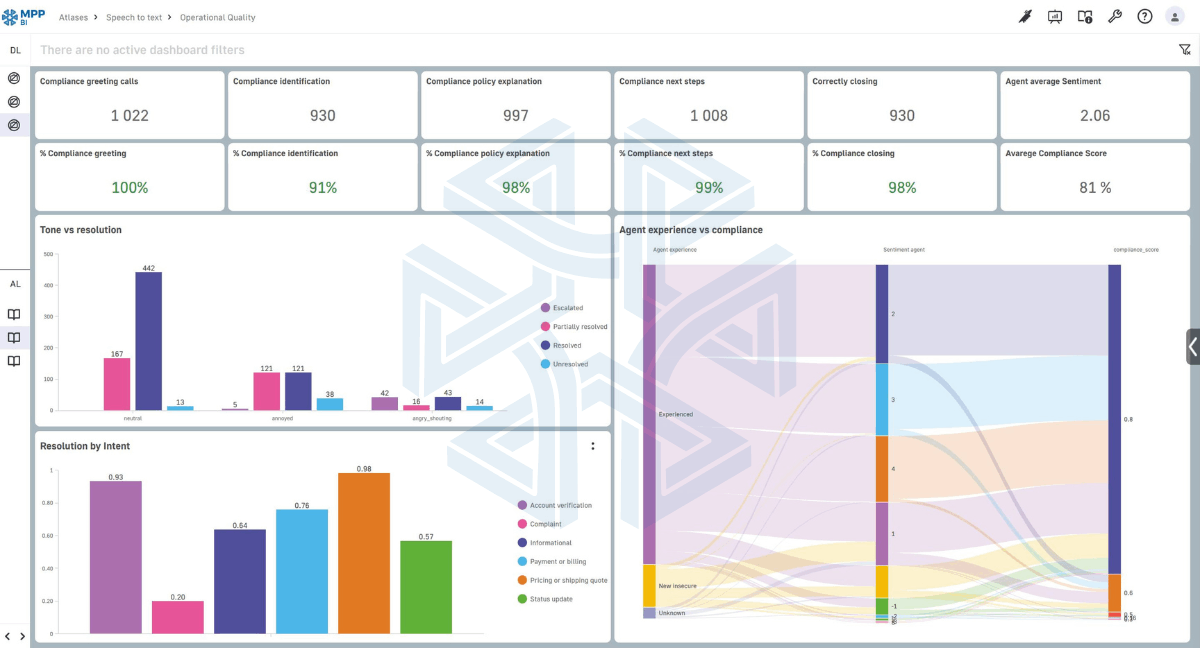
MPP BI dashboards are modern and interactive. The dashboards show call sentiment analysis and call resolution tracking, so you can see how customers feel and if their issues are solved.
- Filter what you want: Look at calls by agent, reason, customer feeling, or resolution.
- See trends as they happen: Spot problems and patterns in real time.
- AI helps you: The system highlights frequent complaints or unresolved calls.
Brand and UI Customization
The dashboards can match your company’s colors and branding. We can also make the layout and features fit your team’s needs.
Chatbot Integration
For those who need it, we can add a chatbot to the call center analytics system. You can ask questions directly, like “How many unresolved calls did we have last week?” The chatbot gives answers instantly in plain language.
Actionable Data
Decision-makers need insights to improve the process. Charts are not just there to show numbers from the calls. Without clear actions, the data can be useless in the long run. For this reason, we focus on providing actionable data.
For example, your call center gets many calls about delayed deliveries. Without insights, you might not notice the same issue keeps happening. With call data analysis, you can see the trend, find the root cause, and take action to fix it before more customers are affected.
Flexible Deployment
MPP Call Analytics can work on your own servers or in the cloud.
- On your own servers (on-premise): The system runs on your company’s computers. This is good if you care about keeping your data private. It can be more secure, but it may cost more because you need your own hardware and IT support.
- In the cloud: The system runs on the internet using remote servers. You can access it from anywhere and don’t need to manage computers. It can be faster to start and cheaper for small teams.
Extra MPP Advantages
MPP Call data analysis has extra features that make it easy to use:
- It can track important KPIs in real time and generate automated reports.
- It can also integrate easily into any environment.
- The different services talk to each other through open APIs, and the source code is available per license, so connecting it with your own systems is simple.
Does Your Business Need Customer Call Insights?
If you have a call center and get many customer calls, the insights from those calls can help your business. Ask yourself these questions:
- Do you want to know why customers call and how they feel?
- Do you want to find recurring issues to see common problems customers have?
- Do you want to spot patterns early and prevent complaints?
- Do you want to check how well agents follow procedures and handle calls?
If your answer is “yes” to any of these, MPP Call Analytics can help.

We’d love to hear about your business and what matters most to you. We can walk you through dashboards and reports made for your needs and show how data can make decisions easier and faster.
Making the Most of Call Data
We have a keen eye for data and think about how to make the most of it. That’s why we even look at unstructured data, like voice conversations. That’s a lot of data, and a lot of opportunity for business growth. Why leave those calls without insights?
Turning speech into text helps us use technology and do amazing things with the data we get. The technology is out there, and businesses should find ways to use it for growth.
And because we love to think outside the box, we can add a chatbot for interactive querying of call data. What if someone wants to ask questions and get insights instantly? That’s exactly what MPP LLM Call Analytics makes possible.
We’re a data and AI company based in Richmond, Virginia. Many companies only sell one software for one problem, but we look at the whole data pipeline and make sure it works right.
Our team would be happy to have a call, show you how the dashboards work, and learn about your business goals.